


The Ayuda Health app helps people with medication reminders, vitals and symptom tracking, doctor’s appointments, and lifestyle modification goal setting.
Users can by searching for their drug or supplement name and setting a reminder to take the dose. They can select the drug type and create a nickname for the drug (e.g., "blue pill", "red inhaler"). For daily drug reminders, select “Every Sunday”, “Every Monday”, “Every Tuesday”, etc. Alternatively, you can set a custom daily schedule with activities done at a specific time each day (e.g. breakfast, shower, beginning or ending of work, etc.), and align your drug reminder to that activity.
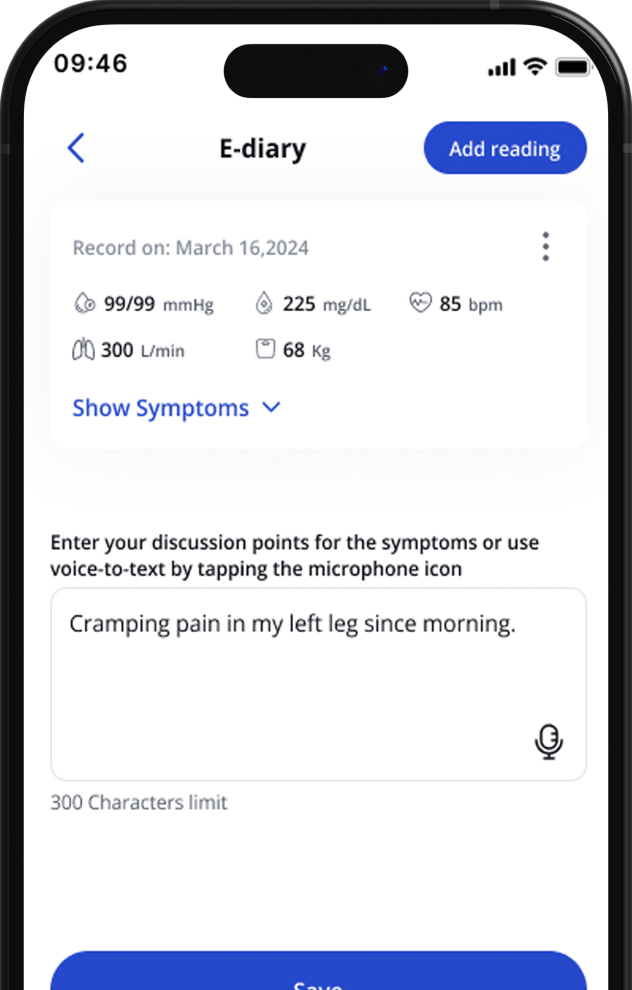
The e-diary helps users enter vitals such as blood sugar, blood pressure, heart rate, peak expiratory flow rate and weight. The voice-to-text module helps users enter symptoms, side effects, or helpful notes. All entries are date and time stamped when saved.
Users can add their doctors or other healthcare professionals to the app and schedule doctor’s appointments in the app’s calendar function. In the doctor’s appointment setting module, the user can record and save voice-to-text notes on what he/she wants to discuss during the appointment. On the day of the appointment, the user’s doctor or health care professional can record and save voice-to-text notes on the user’s phone to provide instructions or recommendations.
Additionally, users can access the reporting function and generate a report of medication adherence (how many times each drug or supplement was taken or missed), vitals and symptoms (from the e-diary module). The report can be downloaded to the user’s phone as a PDF document. The user can opt to send this report to the doctor or healthcare professional ahead of the appointment. The PDF report will not contain the user’s name or identifiable information.
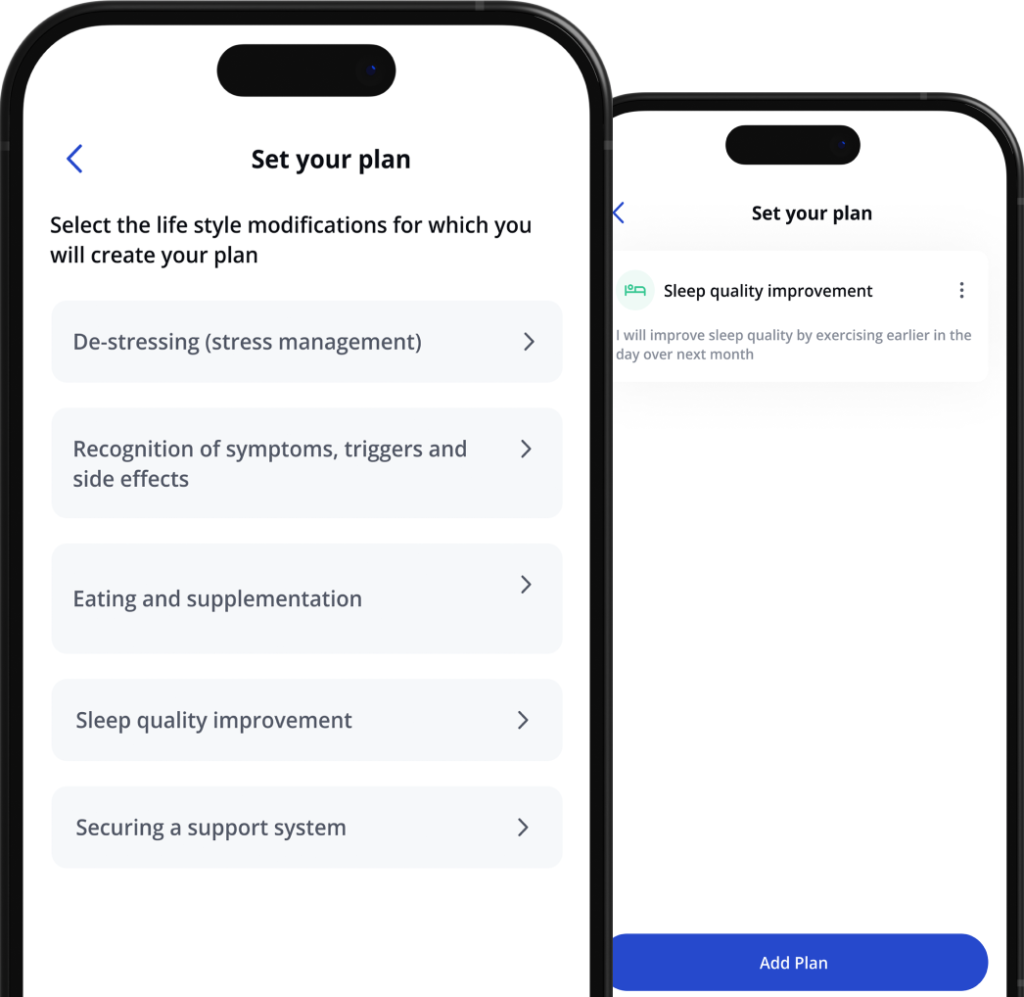
In the lifestyle goals module, users can set and calendarize small goals around diet, sleep, stress management, education on their diseases, or to secure a support system. Users can select example goals from the drop-down list or enter their own and select the length of time needed. The goal is added to the calendar. An example goal would be to turn off all electronic devices at least 1 hour before bedtime.
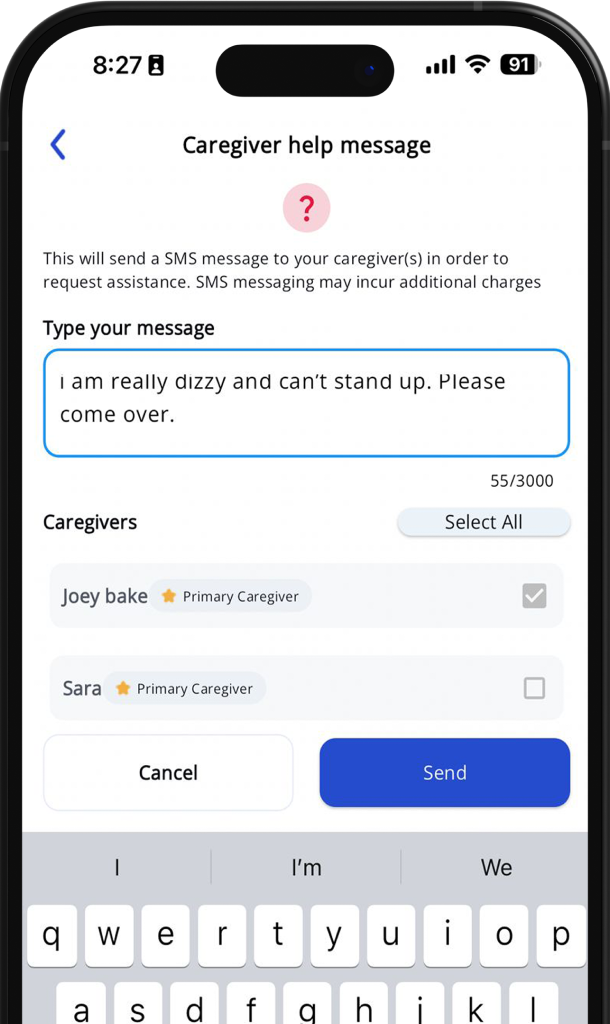
Yes, users can add up to 5 caregiver contacts to the account by providing their names and email addresses. Each contact will be notified by email that the user has added them, and the contact has the option to unsubscribe at any time. The caregiver contact is notified via email if the user has missed a medication dose, or if the user has scheduled a doctor’s appointment or set a lifestyle modification goal. The user also has the option to send an urgent text to the caregiver contact for important (non-emergency) requests for assistance.
The Ayuda Health app can be translated into Spanish or French. The language can be changed in the app under Settings.